
Remote work and hybrid work have changed the way business is conducted in a certain way that it has never been conducted before even though it has increased the attack surface by a significant percentage. The workers can now access the internet using their personal computers and Wi-Fi systems at home as well as the wireless networks, which serves as the bottomless avenue to the internet criminals. The largest ones are credential data loss and infostealer malware. It is time to understand how contemporary businesses may ensure the safety of their remote workers and make credentials their single-use key to bad individuals.
1. Understand the Threat Landscape of Remote-Work
Any work-at-home employee represents a weakness of your systems. Hackers are aware of that and they misuse the weak links such as:
- Default passwords of routers made at home.
- Carried Electronic gadgets to work and home.
- Browsers, unpatched operating systems.
It has turned into a giant stream of qualifications to the dark web every day with infostealer malware (viral code that accumulates saved passwords, cookies and autofills information).
2. Learn How Infostealers Work
Infosteelers are the malware programs that are placed on a client-side through the installation with the assistance of fake updates or malware packages or phishing mail. Once installed, they:
- Get browser embedded credentials (email, Slack, cloud dashboards, VPNs etc.).
- Accumulated session tokens, which are based on no-access passwords.
- Send stolen data to attacker server and package them and sell.
Recent research shows that millions of stolen credentials are enrolled in infostealer logs each month with some of them being directly connected to remote workers.
3. Enhance Authentication Anywhere
Multi-factor authentication (MFA) can be regarded as one of the most efficient and least complex actions that can be introduced on all platforms.
MFA renders stolen passwords very unproductive as the attackers would require a second authentication factor.
Complement MFA with:
- The policies of best passwords and various credentials which were employed in services.
- Reduce reuse by use of password managers.
- Access control Access control is single sign-on (SSO) through a centralized access control.
Note: The more credential you post or make use of in various sites the more you are exposed.
4. Protect Endpoints and Personal Computers
The beginning of security surveillance is at the place where your workers are; in their computers.
- Require software that secures all the devices and laptops as the end point.
- Implement automatic operating systems and application changes.
- Have it encrypted on disk and enable a remote wiping facility in the event of equipment loss or theft.
- Separate work and personal documents or pages.
The surge of an endpoint may cause the transmission of the attack to the company as a whole.
5. Live Leaked Credentials Watchdog
Leakages do take place even with the prevention. The key is rapid detection.
- Dark web surveillance installed to monitor hacked accounts of companies in advance.
- Monitor the employee dumps of the credential information.
- Install auto alert system in such a way that before credentials and lock accounts are used, you should be able to renew them.
Security does not only exist because there is a wall present, but the realization of the fact is when a person has already been invaded.
Check My Exposure: Free tool
Would you like to receive a report on the precise extent to which your remote-team credentials are currently exposed?
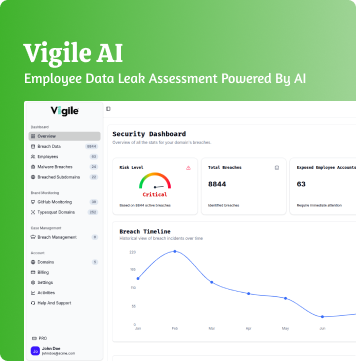
Get an instant insight by using our free Check My Exposure tool. It searches through the dark-web leak marketplaces, infostealer logs, and breached credential databases to determine whether the accounts or tokens of any of your employees have already been compromised.
Upon detection, you will be provided with a risk score, the information about which credentials has been revealed, and the steps to take in order to protect those. The early action will prevent an attacker before he or she gets a chance to creep in unnoticed.
6. Create a Remote Culture where Security is the Ninth Priority
Technology will not provide the answers to everything. Remotely support your employees to:
- Confirm unusual demand prior to sharing of information.
- Work should not be done through personal email.
- Report phishing attacks instantly.
- Undergo a continuous education on awareness.
A highly educated workforce will provide the best defense.
The reason why Vigile is a necessity in securing remote teams
Vigile is a credential leak detection and infostealer intelligence that is specific to the reality of remote work. Our system follows the trail of dark-marketplaces, dark-marketplace history of stealer and breach databases to identify divulged credentials that are associated with your staff before they are used in an attack.
With help of Vigile, your organization can be observed on scattered endpoints and live alerts which can make your organization work in real-time. Secure your virtual employees today.
Visit vigile.ai to learn about how Vigile keeps modern teams safe against credential leaks and malware-related invasions.